If you’ve been running a VPS for a while, you already know how much your choice of operating system matters. It affects everything: server speed, security, how easy it is to manage packages, and even your hosting costs in the long run. That’s why so many developers, sysadmins, and businesses stick with Debian web hosting. It’s stable, well-supported, and trusted by millions of servers worldwide.
Now, with Debian 13 (codenamed “Trixie”) on the horizon and expected to be released in mid-2025, followed by rapid adoption through 2026, there’s a lot to talk about. Whether you’re already running Debian on your VPS or thinking about switching, this guide covers everything you need to know: what’s new, why it matters, and how to upgrade without breaking your setup.
What is Debian and Why Does It Matter for Web Hosting?
Before we get into the new features, let’s quickly cover the basics for anyone who’s just getting started with Debian web hosting.
Debian is one of the oldest and most respected Linux distributions out there. It forms the base for other popular distros like Ubuntu, and it’s widely used in Linux server administration because of how rock-solid and predictable it is. When you host a website or run a web application, you want an OS that won’t randomly break after an update, and that’s exactly what Debian delivers.
For anyone using Ethernet Servers or a similar Debian cloud server provider, Debian is often the go-to choice. It’s lightweight, doesn’t come with a bunch of bloatware, and gives you full control over what runs on your machine. That kind of control is important whether you’re hosting a personal blog, a business website, or a high-traffic web application.
What’s New in Debian 13?
So, what makes Debian 13 worth upgrading to? Quite a bit, actually. The Debian 13 features coming with Trixie represent one of the more significant updates in recent release cycles.
One of the biggest changes is the improved support for modern hardware. If you’re running your Debian web hosting setup on newer VPS infrastructure, which most cloud providers are now using, Debian 13 brings better kernel support and improved drivers right out of the box. This means fewer compatibility headaches when you spin up a new server.
Debian 13 also ships with updated core packages across the board. PHP, Python, Perl, and other common server-side languages are getting newer versions, which is great news if you’re running a modern web stack. Security patches are baked in from day one, which matters a lot for anyone doing serious Linux server administration.
Another standout feature is the improvements to the installer and cloud-init support. For people using a Debian cloud server, this makes deploying fresh instances faster and more reliable. EthernetServers customers, for example, will find it easier to get a clean Debian 13 environment up and running with minimal manual configuration.
There’s also been work done on 64-bit RISC-V architecture support, expanded firmware handling for non-free firmware (now bundled in the official installer), and improvements to the default systemd version. None of this sounds glamorous, but in practice, it means your server is more compatible, more stable, and easier to manage out of the box.
Debian 13 and Package Management: What’s Changed?
One of the quieter but genuinely useful upgrades in Debian 13 involves Debian package management. The APT package manager, which is what you use when you run commands like apt install or apt upgrade, has received performance improvements and better dependency resolution.
For everyday Linux server administration, this means fewer conflicts when installing or updating software. If you’ve ever run into a situation where installing one package breaks another, you’ll appreciate this. APT in Debian 13 is smarter about figuring out what your system needs before it makes any changes.
The package repositories themselves have also been reorganised and expanded. You get access to more up-to-date software versions without having to rely as heavily on third-party PPAs or external repos. For Debian web hosting environments, this is a real quality-of-life improvement; you can keep your stack current without adding extra risk.
Is Debian 13 Ready for Enterprise Use?
Short answer: yes. Debian has always been a solid choice for an enterprise Linux server, and Debian 13 continues that tradition. Its long-term support model, combined with the strict quality standards the Debian project is known for, makes it suitable for production environments where downtime is not an option.
Many businesses that run their infrastructure on Ethernet Servers or other VPS platforms choose Debian specifically because it behaves predictably. You don’t get surprise feature changes or forced upgrades. You get a stable base that you can build on and trust over time. Debian 13 keeps all of that intact while adding modern compatibility on top.
Security is also a big part of what makes Debian suitable for enterprise workloads. The Debian Security Team actively maintains patches, and Debian 13 benefits from improved security tooling, better default configurations, and faster response times on CVEs compared to earlier releases.
How to Upgrade to Debian 13 (Step-by-Step)
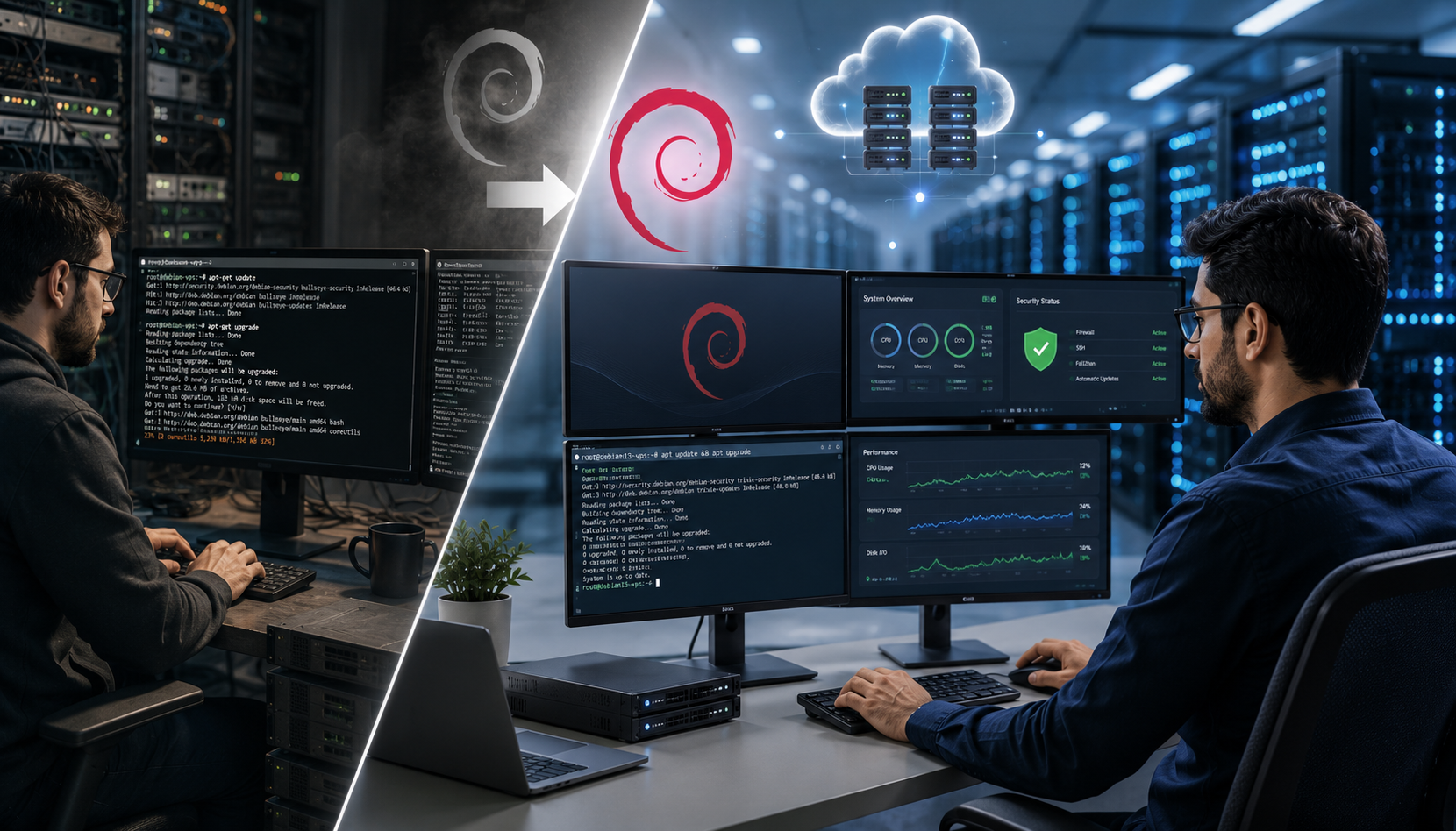
Ready to upgrade to Debian 13? If you’re currently running Debian 12 (Bookworm), the Debian 13 upgrade process is fairly straightforward, though it does require some care. Here’s how to do it safely on your VPS.
Step 1- Back up your data.
Before anything else, take a full snapshot of your VPS. Most providers, including Ethernet Servers, offer a snapshot or backup option from the control panel. Use it. Seriously.
Step 2- Update your current system.
Run sudo apt update && sudo apt upgrade -y to make sure your Debian 12 system is fully up to date before starting the upgrade.
Step 3- Update your sources list.
Open /etc/apt/sources.list and change all references from bookworm to trixie. Do the same for any files in /etc/apt/sources.list.d/.
Step 4- Run the upgrade.
Use sudo apt update first to pull the new package lists, then run sudo apt full-upgrade -y to begin the Debian 13 upgrade process. This can take a while, depending on how many packages need updating.
Step 5- Reboot and verify.
Once the upgrade is complete, reboot your server with sudo reboot. After it comes back up, run lsb_release -a to confirm you’re now on Debian 13.
A few things to keep in mind
If you have custom repositories or third-party packages installed, double-check compatibility before upgrading. Some packages may not yet have Debian 13 builds available. Also, if you’re running a live production server with active traffic, consider doing a test upgrade on a staging VPS first.
Why Debian Web Hosting on a VPS is a Smart Choice in 2026
The Debian web hosting market hasn’t slowed down. In 2026, Debian continues to be one of the top operating systems used in VPS and dedicated server environments globally. According to W3Techs data, Linux powers over 75% of all web servers, and Debian remains one of the top Linux distributions used in hosting infrastructure.
For anyone shopping for a Debian cloud server plan, the value proposition is clear: you get a free, open-source OS that’s well-documented, has a massive community, and is taken seriously at the enterprise level. Pair that with a reliable hosting provider like EthernetServers, and you’ve got a solid foundation for pretty much any web project.
Frequently Asked Questions
Debian 13, codenamed “Trixie,” was expected to be released in mid-2025 following its freeze cycle. By 2026, it will be the current stable release and available for all new and existing VPS deployments. You can check the official Debian release page for the latest status.
It’s not recommended to skip major versions during a Debian upgrade. If you’re on Debian 11 (Bullseye), you should first upgrade to Debian 12 (Bookworm) and then perform the Debian 13 upgrade. Skipping versions can cause package conflicts and broken dependencies that are difficult to fix.
Absolutely. Debian is known for being lightweight and efficient. Even on a VPS with 1GB of RAM, Debian 13 runs cleanly without a desktop environment. It’s one of the best choices for resource-constrained Debian cloud server setups.
Debian uses the APT package manager, which handles software installation, updates, and removal. Compared to RPM-based systems like CentOS or Rocky Linux, Debian package management is known for being user-friendly and having a massive repository of pre-built packages. This makes Linux server administration on Debian simpler for most use cases.
Yes. Debian’s stability, long support cycles, strong security practices, and wide community make it a trusted choice for enterprise Linux server environments. Many organisations running mission-critical applications on VPS infrastructure prefer Debian precisely because it doesn’t introduce breaking changes between updates.