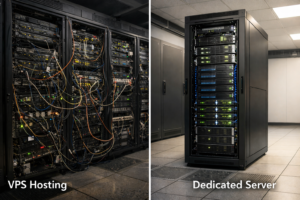
How to Manage a Dedicated Server Properly
You may have started out on shared hosting, upgraded to a VPS, and eventually moved to a dedicated server. But once you make that jump, how do you manage it properly?
Unlike shared hosting, where most of the work is handled by the provider, a dedicated server puts you in control. That means better performance, more flexibility, and greater responsibility. Good server management plays a major role in helping your business grow with dedicated hosting, but it does not need to feel intimidating.
Many businesses now realise that dedicated server management does not have to be complicated. With the right approach, along with modern solutions such as VPS KVM Linux or web hosting with cPanel, you can keep your server secure and efficient without needing expert-level technical knowledge. The key is knowing what to monitor, when to take action, and how to prevent problems before they happen.
In this guide, we will cover what you need to know to manage your dedicated server with confidence.
Benefits and Uses of Effective Server Management
Proper dedicated server management keeps your business online, secure, and running smoothly. When you manage your server well, you protect far more than hardware alone. You protect your business data, your uptime, and the trust your customers place in you.
Better Security
A well-maintained server should always have up-to-date software, properly configured firewalls, and active monitoring systems. Together, these help protect your business from hackers, malware, and data breaches.
Learning how to secure dedicated server infrastructure can save you from expensive problems later. In many cases, routine security updates are enough to prevent common attacks from causing serious damage.
Stronger Performance
Performance optimisation is another major benefit of effective server management. Whether you are using VPS KVM Linux for stronger isolation and control or web hosting with cPanel for easier administration, you can monitor resource usage, identify bottlenecks, and make changes to keep everything running quickly.
When you detect problems early, you can fix them before your visitors notice slowdowns or disruptions.
Better Cost Efficiency
Good server management also improves cost efficiency. You reduce downtime, avoid emergency fixes, and get better value from your hosting investment.
Neglecting server maintenance often leads to expensive consequences, such as data recovery costs or urgent hardware replacements. Regular management helps your business avoid those unpleasant surprises.
Reliable Backups and Recovery
Effective management also makes your backup strategy more dependable. You can schedule regular backups, test restore procedures, and make sure recovery systems are ready when needed.
Whether you are working with VPS KVM Linux environments or using web hosting with cPanel to simplify backup scheduling, having reliable recovery options is essential. If something goes wrong, such as accidental deletion, hardware failure, or a security incident, you can restore your data quickly and minimise disruption.
Easier Day-to-Day Administration
Modern control panel tools make everyday server tasks much easier. Even if you are not especially technical, today’s server management options can simplify many routine jobs.
That ease of use gives you more time to focus on growing your business instead of constantly dealing with technical issues.
Why Businesses Choose Ethernet Servers for Server Management
Ethernet Servers has built a strong reputation by understanding what modern businesses need to grow. Their services are designed not only to provide dedicated servers that run reliably, but also to make dedicated server management simpler.
Quality Infrastructure
Infrastructure quality matters. Ethernet Servers uses enterprise-grade hardware from trusted manufacturers such as Supermicro to help ensure reliable performance.
For businesses, downtime can directly affect revenue. High-quality hardware, combined with options like VPS KVM Linux for performance-focused deployments or web hosting with cPanel for ease of use, creates a stable base for long-term growth.
24/7 Expert Support
Their support structure also helps businesses operating across different time zones. With 24/7 expert support, knowledgeable assistance is always available when you need help with dedicated server management.
Whether you need help troubleshooting VPS KVM Linux configurations or assistance using web hosting with cPanel, you are not left waiting until the next business day during a critical issue.
Built-In Security
Security is included as standard rather than treated as a costly extra. Every server comes with 20 Gbps DDoS protection.
As cyber threats continue to evolve, built-in protection like this helps keep your applications online during attacks. Many providers charge extra for similar protection, but Ethernet Servers includes it with every package.
Fast Deployment
Deployment speed also helps businesses move faster. Shared hosting and VPS hosting are deployed instantly, including operating system installation and initial security configuration.
Dedicated servers are provisioned within 24 hours, allowing time for careful setup and validation. Whether you are launching VPS KVM Linux environments, deploying shared web hosting, or scaling onto dedicated infrastructure, a streamlined deployment process helps prevent unnecessary delays.
Flexible Hosting Options
Flexible hosting options allow you to choose the setup that best suits your needs. You may prefer a powerful VPS KVM Linux environment for demanding applications, or user-friendly web hosting with cPanel when simplicity matters more.
This flexibility makes it easier to match your hosting environment to your business goals and your team’s technical skill level.
How Ethernet Servers Helps Businesses Manage Dedicated Servers
Ethernet Servers aims to make dedicated server management easier, whether you are experienced or setting up your first server.
Quick and Easy Setup
If you choose web hosting with cPanel, much of the setup is ready from day one. You do not need to worry about complicated installation steps or confusing early errors.
Remote management through IPMI also works smoothly. You can monitor server health, reboot the machine, or install software from almost anywhere. This makes managing VPS KVM Linux servers across different countries much more practical.
Freedom to Choose Your Operating System
Ethernet Servers gives you freedom over your operating system choice. You can deploy Linux, Windows, or FreeBSD depending on what your business requires.
Some businesses prefer VPS KVM Linux for isolated environments and strong performance, while others choose web hosting with cPanel for a smoother and more beginner-friendly experience.
Generous Bandwidth
Bandwidth allocation removes a common barrier to growth. With generous bandwidth provisions, you do not have to worry about surprise charges during traffic spikes or arbitrary limits affecting performance.
Whether you are running VPS KVM Linux environments for busy applications or managing multiple websites through web hosting with cPanel, you can handle more visitors without worrying about throttling or unexpected fees.
Helpful Documentation and Knowledge Base
A strong knowledge base and clear documentation make it easier to handle routine tasks independently. From basic security configuration to performance optimisation, clearly written guides help businesses build internal knowledge over time.
Whether you are learning VPS KVM Linux administration or getting comfortable with web hosting with cPanel, this educational support helps you manage your environment more effectively.
Security Assistance
Security update guidance helps reduce the pressure on your team. While you remain in control of your server, Ethernet Servers provides support around critical patches and security best practices.
That extra help can reduce the chance of oversights that may put business or customer data at risk.
Resource Monitoring Tools
Resource monitoring tools also help you stay ahead of potential issues. Through intuitive dashboards, you can keep an eye on CPU usage, memory consumption, disk space, and bandwidth use.
This makes it easier to spot trends and plan upgrades before performance problems begin to affect customers, whether you are managing VPS KVM Linux deployments or cPanel hosting environments.
Reduced Risk for New Customers
The 60-day money-back guarantee helps reduce the risk of trying the service, giving businesses more confidence when making a hosting decision.
Final Thoughts
Managing a dedicated server does not have to feel overwhelming. With the right tools, the right support, and the right hosting partner, you can keep your server secure, reliable, and ready to support business growth.
Whether you prefer VPS KVM Linux for its performance benefits or web hosting with cPanel for its ease of use, quality infrastructure and dependable support make a real difference. They can be the deciding factor between constant stress and confident day-to-day operation.
In a time when businesses need more than just raw hardware, Ethernet Servers combines enterprise-grade infrastructure, included security features, regional reach, and expert support to create an environment where you can focus more on growth and less on technical problems.
Frequently Asked Questions
What are the everyday tasks involved in managing a dedicated server?
Daily tasks usually include checking server resource usage, reviewing security logs for suspicious activity, confirming backups completed successfully, and monitoring overall performance.
Whether you use VPS KVM Linux or web hosting with cPanel, these checks usually take only a few minutes through your management dashboard.
How often should I update my server software?
Security updates should be applied as soon as they are available. Feature updates are usually best scheduled during quiet traffic periods, typically on a weekly or monthly basis.
Do I need strong technical skills to run a dedicated server?
Basic technical knowledge is useful, but you do not need to be highly technical to manage a dedicated server well. Tools such as cPanel make web hosting far more approachable for beginners.
How will I know when my server needs more resources?
Common warning signs include CPU usage staying above 80%, regular low-memory warnings, slower response times, and disk space dropping below 20% free.
Both VPS KVM Linux and web hosting with cPanel provide simple monitoring tools that help you spot these issues early, so you can plan upgrades before customers are affected.