If you’ve ever shared a server with other users and wondered, “Can they see my data? Can they slow down my website?”, you’re not alone. It’s one of the most common concerns people have when buying hosting. And honestly, it’s a fair question. The answer depends a lot on what kind of virtualization your hosting provider is using. If they’re using KVM VPS hosting, you’re in good hands. Let’s break down why.
What is KVM Virtualization?
KVM stands for Kernel-based Virtual Machine. It’s an open-source virtualization technology built right into the Linux kernel. That means instead of being a third-party add-on, KVM is a core part of the operating system itself. This makes it incredibly stable and well-tested over years of real-world use.
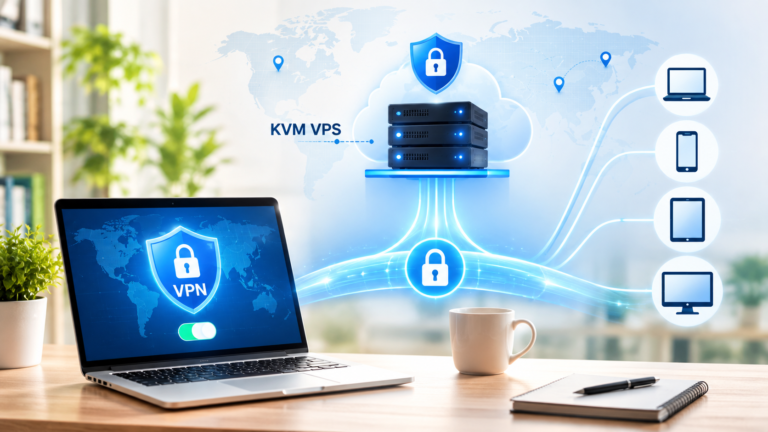
KVM Virtualization works by turning your physical server into multiple fully independent virtual machines. Each one of those virtual machines acts like its own separate computer—with its own CPU resources, RAM, storage, and operating system. Think of it like dividing a large apartment building into individual units. Everyone gets their own space, their own lock, and their own utilities. The person in unit 3B can’t just walk into unit 5A, and neither can they affect each other’s water pressure or electricity.
This is a fundamentally different approach from older virtualization methods like OpenVZ, which shares a single operating system kernel among all users. Shared kernel = shared risks. KVM doesn’t work that way.
Why VPS Isolation Actually Matters
Before getting into how KVM handles isolation, let’s talk about why it matters in the first place.
When you’re on a shared server without proper isolation, there are real risks involved. A noisy neighbor, someone on the same server using too many resources, can slow your site down. A security breach on one account could potentially expose data from other accounts. Malicious software on one VPS could try to interfere with others. These aren’t just theoretical problems. They’ve happened to real businesses on poorly isolated hosting environments.
When you choose KVM VPS hosting, each VPS is isolated at the hardware level. Your virtual machine gets its own dedicated slice of the physical server’s resources, and it’s protected in a way that other users simply cannot cross over.
How KVM Ensures VPS Isolation?
This is the part that makes KVM stand out. KVM Virtualization uses something called hardware-assisted virtualization, which relies on your CPU’s built-in security features, specifically Intel VT-x or AMD-V extensions. These aren’t software tricks. They’re physical-level protections baked into the processor itself.
Here’s how KVM ensures VPS isolation in practical terms:
Each virtual machine runs its own full operating system. When you spin up a KVM VPS, you’re not sharing an OS with anyone. You have your own kernel, your own system processes, and your own environment. Whatever happens inside your VPS stays inside your VPS.
Memory is completely separated. KVM uses the hardware Memory Management Unit (MMU) to make sure one VPS cannot read or write to the memory of another. This isn’t just a software policy that can be bypassed; it’s enforced at the CPU and hardware level. So even if someone wanted to snoop on what’s in your server’s RAM, they physically cannot do it from a neighboring VPS.
Storage is isolated, too. Each VPS gets its own virtual disk. Your files, databases, and configurations are stored separately from every other user on the same physical host. There’s no shared filesystem where another user could stumble across your data.
Network traffic is segregated. KVM uses virtual network interfaces and configurable firewall rules at the hypervisor level. This means each VPS has its own IP address and network stack, and traffic doesn’t bleed between virtual machines.
CPU resources are managed and limited. Through a combination of hardware extensions and the Linux scheduler, KVM controls how much CPU time each VPS can use. One VPS going haywire with high CPU usage doesn’t bring down everyone else on the machine.
All of this combines to create a hosting environment where your VPS genuinely behaves like a private server, even though it’s physically sharing hardware with others.
KVM vs. Other Virtualization Technologies
To really appreciate how KVM ensures VPS isolation, it helps to compare it with alternatives.
OpenVZ is one of the older virtualization methods still in use today. It’s container-based, meaning all VPS instances on a host share the same Linux kernel. This makes it lightweight and cheaper to run, but it comes with trade-offs. Since the kernel is shared, a kernel-level exploit on one VPS can affect others. You also can’t run a different operating system; if the host runs CentOS, everyone runs CentOS (or something compatible with it).
VMware is a commercial virtualization platform used heavily in enterprise environments. It’s solid and well-supported, but expensive. KVM gives you similar isolation capabilities without the licensing costs, which is why most quality KVM hosting providers choose it.
Xen is another hypervisor that provides strong isolation, but it requires a separate privileged VM (called Dom0) to manage everything. KVM integrates directly into the Linux kernel, making it simpler and more resource-efficient in many configurations.
For most people looking at VPS hosting, KVM hits the sweet spot, strong isolation, full OS flexibility, good performance, and reasonable pricing.
Real-World Security Benefits of KVM VPS Hosting
Let’s put the technical stuff aside for a second and talk about what this means for you day-to-day.
If you’re running a business website, an e-commerce store, or any kind of web application that handles user data, security is non-negotiable. A data breach can cost you customers, reputation, and money. KVM VPS hosting reduces your exposure significantly because even if another tenant on the same physical server gets compromised, your VPS remains protected behind hardware-level isolation.
If you’re a developer running multiple projects or client websites, having each in a properly isolated VPS means a problem with one project doesn’t cascade into another. You can test things, break things, and experiment without worrying about collateral damage.
If you’re concerned about performance consistency, KVM’s resource isolation means your RAM and CPU allocations are yours. You’re not competing with another user’s traffic spike for resources.
And because KVM allows full root access to your own OS, you can harden your VPS exactly the way you want, install your own firewall rules, configure SELinux or AppArmor, set up intrusion detection, and more. That level of control isn’t possible in shared hosting environments.
What to Look for in KVM Hosting Providers
Not all KVM hosting providers are equal. The technology itself is strong, but how a provider implements and manages it makes a real difference. Here are some things worth paying attention to when evaluating where to host.
First, look at what hardware they’re running. Good providers use enterprise-grade servers with SSDs (preferably NVMe) and sufficient RAM. Cheap hardware means more failures, and more failures mean more downtime for you.
Second, check whether they offer DDoS protection. Even with KVM isolation, a distributed denial-of-service attack targeting your IP can take your VPS offline. Reputable KVM hosting providers offer some level of DDoS mitigation to absorb or filter that traffic before it hits your server.
Third, look at the network quality. Redundant network connections, low latency, and high bandwidth limits matter a lot for performance. Some providers oversell their bandwidth, which hurts everyone on the network.
Fourth, check their support quality. If something goes wrong with your VPS, you want a real human to respond quickly, not just an automated ticket system that takes 48 hours to get back to you. Look for providers with 24/7 support and good response time reputations.
Ethernet Servers, for example, offers KVM VPS hosting with SSD storage, DDoS protection, and support across multiple data center locations, making it a practical choice for both beginners and experienced users who need reliable, isolated hosting without paying enterprise prices.
Is KVM VPS Hosting Right for You?
If you’re moving up from shared hosting and want more control, more security, and more consistent performance, KVM VPS hosting is one of the most straightforward upgrades you can make. You don’t have to be a server administrator to benefit from it, many providers offer managed options where they handle the technical maintenance while you focus on your actual work.
If you’re already on a VPS but it’s running on OpenVZ or another older container technology, it might be worth asking your provider about migrating to a KVM-based plan. The isolation and security improvements are real and meaningful.
For developers, agencies, and growing businesses, especially, KVM Virtualization provides the kind of stability and security that lets you scale without constantly worrying about your infrastructure being a weak point.
Frequently Asked Questions
In shared hosting, multiple websites run on the same server using the same operating system and resources. There’s minimal isolation, so a compromised account or a poorly written script on someone else’s site can affect yours. KVM VPS hosting gives you a fully isolated virtual machine with your own OS, dedicated resources, and hardware-level separation from other users. It’s a completely different security model.
No. KVM Virtualization uses hardware-enforced memory isolation and separate virtual disks for each VPS. Other users on the same physical host have no ability to read your files, access your memory, or interfere with your processes. The isolation is enforced at the CPU level, not just through software policies.
OpenVZ is a container-based system where all users share the same OS kernel. This creates potential security gaps because a kernel vulnerability or misconfiguration can affect all containers on the host. KVM ensures VPS isolation by giving each virtual machine its own full OS and kernel, using CPU hardware extensions to enforce boundaries. This makes KVM significantly more robust from a security standpoint.
Yes, most KVM hosting providers give you full root access to your VPS. Because each KVM VPS runs its own independent operating system, you have complete administrative control over your environment. You can install any software, modify system configurations, set up your own firewall rules, and customize everything to your needs, just like you would on a dedicated server.
It can be, especially if your provider offers a managed plan. The underlying KVM Virtualization technology is powerful and sometimes technical to configure from scratch, but many KVM hosting providers, including Ethernet Servers, offer user-friendly control panels and pre-installed OS options that make getting started straightforward. If you’re comfortable with basic Linux commands, you’ll have no trouble running a KVM VPS. And if you’re not, managed hosting takes most of that off your plate.