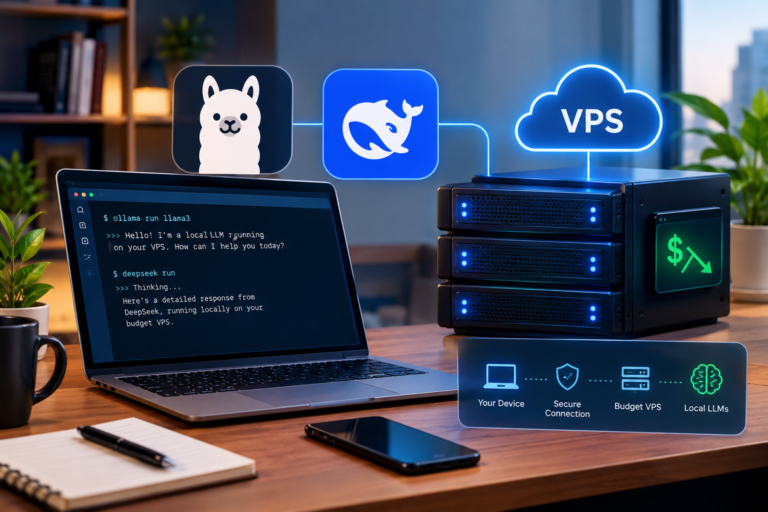
Not long ago, running your own AI model meant buying a graphics card that cost more than a used car. That’s over.
In 2026 you can take a small open-source model, run it on plain CPU hardware, and get genuinely useful work out of it. Summarising support tickets. Tagging content. Powering a search box that actually understands what people typed. Answering questions about your own documents without shipping them off to somebody else’s API.
The email we get most often goes something like: I want to try this, what’s the smallest server that’ll actually work? Fair question. Nobody wants to pay for 16 GB when 4 GB would have done the job, and nobody wants to buy a plan that falls over the first time the model loads. So here are real numbers.
Why an SSD VPS Server Can Run AI Models Without a GPU
Two things changed, and they changed fast.
The small models got good. Properly good. Alibaba shipped the Qwen3.5 small series in March 2026 at 0.8B, 2B, 4B and 9B, all Apache 2.0 licensed. Google followed in April with Gemma 4, also Apache 2.0, including edge-sized E2B and E4B versions at roughly 2.3B and 4.5B effective parameters. Microsoft’s Phi-4-mini sits at 3.8B under MIT. Every one of those is free to download, and none of them needs a graphics card.
The other change was quantisation. A model in its default 16-bit form eats roughly 2 GB of memory for every billion parameters. Squash those numbers down to 4 bits and the footprint collapses, with surprisingly little damage to answer quality. Google published the figures in the Gemma 4 technical report: the 12B model goes from about 24 GB to roughly 7.7 GB, and the 31B from about 64 GB down to roughly 19 GB.
That’s the whole story, really. It’s what moved this from “you need a data centre GPU” to “you need a decent virtual server.” You do give up speed, and we’ll get to that.
The Simple Maths Behind Model Size and RAM
One rule of thumb covers most of it. Take the parameter count in billions, multiply by about 0.6, and that’s roughly how many gigabytes the weights need at 4-bit.
Does it hold? Check it against Google’s own numbers. 12B lands near 7.7 GB, 31B near 19 GB. Both work out to about 0.62 GB per billion. Close enough to plan with.
Weights aren’t the whole bill, though. The context window, meaning whatever conversation history and documents the model is currently reading, sits in memory too, and it grows the more text you feed it. Your Linux install wants its share. So does whatever application you’ve written around the model. Budget the weight estimate, plus one to two gigabytes for a modest context, plus roughly a gigabyte for the system, and you’ll be about right.
Go over what your plan has, and one of two things happens. Either the model refuses to load, or the server starts swapping to disk and everything crawls.
Minimum SSD VPS Server Specs for Small Models
Most people should start here. Plenty should just stay here.
A 1B model like Llama 3.2 1B compresses to well under a gigabyte. Step up to 2B and you’re around 1.2 to 1.5 GB. For anything in that range, a 2 GB Virtual Server VPS is the realistic floor. It loads, it answers, and it stays up, provided you’re not also running a busy database on the same box. You can technically squeeze a 1B model onto a 1 GB plan, but I’d only do that to experiment. It’s not something to put in front of users.
A 3B model at around 1.8 GB is right on the edge of 2 GB. It’ll run with a small context window and a swap file. It won’t be comfortable. If 3B is where you’re headed, save yourself the frustration and go to 4 GB.
Which is also where the 4B class belongs. Gemma 4 E4B needs roughly 2.3 GB for weights once quantised, so a 4 GB plan leaves genuine breathing room for context and the OS. The second CPU core you get at that tier matters just as much as the extra memory. For most small businesses and side projects, this is the tier that makes sense.
What 8B to 12B Models Need on a Virtual Server VPS
Qwen3.5-9B needs somewhere around 5.5 to 6 GB for weights alone at 4-bit. People see that, look at a 4 GB plan, and think they can make it work. They can’t. Once you’ve added context and the operating system you want 8 GB, and you want four cores if you’d like answers before you’ve lost interest.
Here’s the thing that catches people out. Models with a thinking or reasoning mode work through the problem step by step before they answer, which means far more tokens generated for the same question. On a CPU, where every token costs real wall-clock time, that turns a quick reply into a long silence. Qwen3.5 and Gemma 4 both let you turn thinking off. If a human is sitting there watching a cursor blink, turn it off. Keep reasoning mode for jobs that run overnight.
Beyond that, be honest with yourself. Gemma 4 12B wants around 7.7 GB for weights, which puts you on a 16 GB plan. Anything in the 30B class needs roughly 19 GB, and at that point you’re stretching a VPS to do a dedicated server’s job.
Storage, CPU Cores and Why VPS KVM Linux Matters
Storage is the part nobody needs to worry much about. Ten gigabytes or so for a modern Linux install with Docker or Python, then somewhere between 1 and 8 GB per model. Most people end up hoarding three or four models because they want to compare them, so call it 20 GB of model files. The reason fast SSD matters isn’t capacity, it’s that those files get read into memory every single time the service restarts. On NVMe that’s seconds. On anything slower it’s a coffee break.
CPU is what decides speed, once RAM has decided whether the thing runs at all. One core to two makes a big difference on a small model. Two to four helps again, though eventually memory bandwidth becomes the ceiling rather than raw compute. I’d be cautious about any tokens-per-second figure you read online, including in comparison posts, because it swings wildly with processor generation and model size. Measure it yourself in week one. For context, anything above roughly 10 tokens per second reads comfortably, because that’s quicker than most people read.
Virtualisation type is the part people skip over, and it bites. Container-based platforms share a single kernel and frequently oversell memory, so the 8 GB on your invoice might not all be yours in practice. For a small website, who cares. For a model sitting on six gigabytes of resident memory around the clock, it means performance you can’t predict. A VPS KVM Linux setup is true hardware virtualisation: your own kernel, your own memory, genuinely allocated. Every plan we sell runs KVM for that exact reason, managed through VirtFusion so you can rebuild, reinstall or mount your own ISO without waiting on a ticket.
Matching Model Size to a Real Plan
| Plan | Best for | Realistic use case |
| 1 GB RAM, 1 core, 55 GB SSD | Testing only | Loading a 1B model to experiment |
| 2 GB RAM, 1 core, 80 GB SSD | 1B to 2B models | Classification, tagging, short summaries |
| 4 GB RAM, 2 cores, 160 GB SSD | 3B to 4B models | Chat assistants, document Q&A, embeddings |
| 8 GB RAM, 4 cores, 320 GB SSD | 8B to 9B models | Better writing quality, larger document sets |
| 16 GB RAM, 6 cores, 640 GB SSD | Up to 12B models | Multiple models, or a model plus your full stack |
Worth knowing before you order: our panel supports upgrades but not downgrades. So pick the tier you think you’ll need rather than buying big and trimming later. If the whole approach turns out to be wrong for your project, the 60-day money-back guarantee covers you.
When a VPS Is Not the Right Answer
We’d rather lose the sale than sell you the wrong thing.
Serving lots of users at once with quick responses? CPU inference won’t keep up, and you want GPU hosting. Fine-tuning or training rather than just running a model? GPU. Genuinely need 30B-plus quality for your use case? That’s a dedicated server.
Everything else, which honestly covers most real projects, runs fine on a properly sized SSD VPS Server for a fraction of what the alternatives cost.
Final Thoughts
Short version: 2 GB and one core for 1B to 2B, 4 GB and two cores for a comfortable 3B or 4B setup, 8 GB and four cores if you want 9B quality.
Stick with 4-bit quantisation. Use something current and boring like Ubuntu 26.04 or Debian 13. Firewall your inference port, because an open endpoint on the public internet gets found and abused faster than you’d believe. And watch your actual memory use during the first week instead of trusting estimates, ours included.
Our KVM VPS plans start at $3 a month with instant setup, daily off-site backups with seven days of restore points, a 10 Gbps port, 5 Gbps of DDoS protection, and data centres in London, Frankfurt, Miami, Los Angeles and New Jersey. Not sure which tier fits your model? Message us. We’ll tell you straight, including when the answer is that you don’t need to spend more.
Frequently Asked Questions
For a 1B or 2B model at 4-bit quantisation, 2 GB of RAM and a single core does the job. Want a proper conversational assistant on a 3B or 4B model? Go to 4 GB and two cores. A 1 GB SSD VPS Server will load a 1B model, but treat it as a test box, not production.
No, not in any way you'll enjoy. Weights alone run 5.5 to 6 GB at 4-bit, leaving nothing for the context window or the OS, so you'll either fail to load it or swap so hard the server becomes useless. For 8B or 9B, start at an 8 GB Virtual Server VPS with four cores.
For most work a VPS KVM Linux plan is plenty. Small quantised models produce useful text at readable speed on CPU alone. You need a GPU for three things: many concurrent users, fine-tuning or training, and large models where the quality difference genuinely matters to you.
Roughly 10 GB for the OS and tooling, then 1 to 8 GB per model. Once you've collected a few favourites you'll be at 20 to 30 GB of model files. Even the 55 GB entry SSD VPS Server handles a complete working setup, and the bigger plans let you keep a proper library without thinking about it.
Ubuntu 26.04 LTS, nine times out of ten, simply because almost every AI tool writes its docs for Ubuntu first. Debian 13 if you want something leaner. Rocky Linux 10 or AlmaLinux 10 if your team already runs enterprise Linux. All of them are one-click installs on our VPS KVM Linux plans, and you can always mount your own ISO if you need something particular.
Run Open Source AI Models on a Fast KVM VPS
Run small and mid-sized AI models with the right mix of RAM, CPU power, and fast SSD storage. Our KVM VPS solutions provide a practical environment for AI assistants, document Q&A, content processing, and CPU-based model inference.