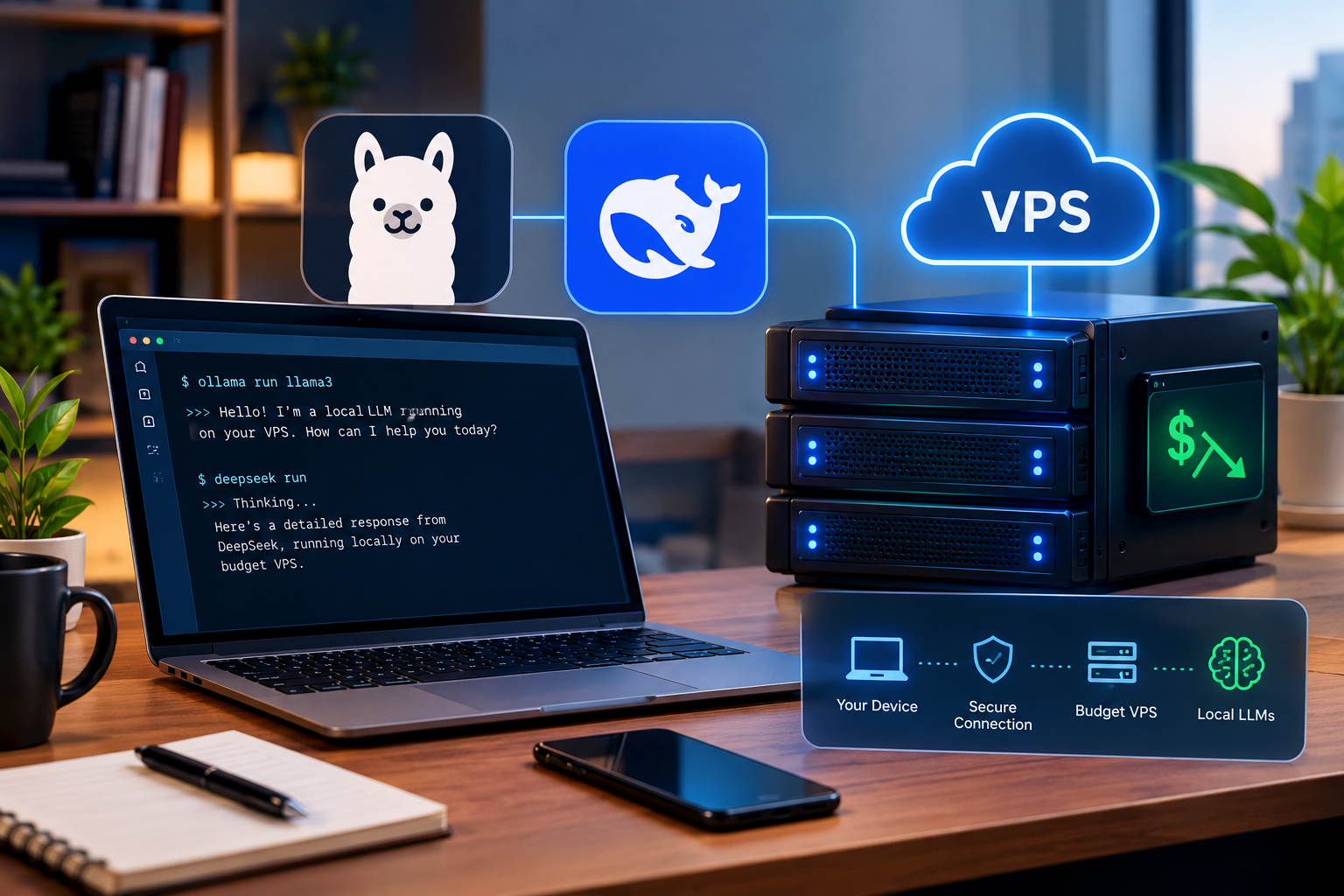
Not long ago, running your own AI model meant buying a graphics card that cost more than my first car. That is no longer the case.
Right now, in 2026, a lot of UK developers and small agencies are running open-weight models like DeepSeek R1 on plain rented servers. No GPU. No six-month lease on hardware that will be obsolete by spring. Just a Linux box and about fifteen minutes.
This is a walkthrough of how to do it, including the bits most tutorials gloss over. If you have SSHed into a server before and you can copy and paste, you will be fine.
So why bother with KVM VPS Hosting instead of an API?
Money, mostly. But not in the way people assume.
The appeal is not that it is cheap, though it is. The appeal is that the bill does not move. Usage-based API pricing has a nasty habit of doubling in the month you finally get busy, and explaining that to a finance director is nobody’s idea of a good afternoon. A VPS costs the same whether you use it or not.
Then there is data protection, which for UK firms is often the real reason. If you are pushing client records, legal files or HR documents through somebody else’s API, you have a conversation coming with your DPO. Keep the model on a server you control in London and that text simply never leaves your infrastructure. It does not make you compliant on its own, but it removes one of the more awkward questions.
And the third thing, which surprised a lot of people: the small models got genuinely good. The distilled DeepSeek R1 versions that landed in 2025 are still in heavy use, and they hold their own on maths, logic and code. An 8B model in 8 GB of RAM is actually useful now. Try saying that in 2023 with a straight face.
Does it still count as “local” if it lives in a data centre?
Yes. Local means the weights sit on hardware you control, not that the fan noise is coming from under your desk.
The catch is that the virtualisation has to be the real thing. With KVM you get your own kernel and memory that is properly yours, and you can set up swap however you like. Try loading a 5 GB model on cheap container-based hosting and you will get throttled, suspended, or both. This is the whole reason KVM VPS Hosting is the right home for this job rather than a shared plan.
Work out the model before you buy the server
Almost everyone does this the wrong way round. Server first, model second, then a fortnight of wondering why “hello” takes ninety seconds.
Ollama’s own docs give you the baseline: at least 8 GB of RAM free for 7B models, 16 GB for 13B, and 32 GB once you get near 33B. Handily, that lines up almost exactly with standard VPS tiers.
| Model | Download | RAM to aim for | What it is good at |
| deepseek-r1:1.5b | ~1.1 GB | 2 to 4 GB | Testing, quick summaries |
| llama3.2:3b | 2.0 GB | 4 GB | Chat, drafting, tagging things |
| deepseek-r1:8b | 5.2 GB | 8 GB | The sweet spot for most people |
| deepseek-r1:14b | ~9 GB | 16 GB | Better reasoning, better code |
| deepseek-r1:32b upwards | 20 GB+ | Get a GPU | Not happening on budget hosting |
Those figures are for Q4_K_M, which is what Ollama pulls by default. Leave about a gigabyte spare for the operating system on top.
If you just want to be told what to buy: the 8 GB plan, running deepseek-r1:8b. Four cores, 320 GB of SSD, plenty of headroom for a web interface and whatever else you are hosting. The 2 GB plan will run the 1.5B model happily enough if you are only having a poke around. Start smaller than you think you need, mind, because VirtFusion lets you upgrade but not downgrade. Prices show in GBP, USD or EUR on our VPS page.
Getting Ollama running on a VPS KVM Linux server
Ubuntu 24.04 or 26.04, or Debian 13. All available as standard images. Kettle on, this takes about a quarter of an hour.
Update everything first, then let Ollama’s installer do its thing. It sets up a systemd service too, so it survives a reboot without you thinking about it.
apt update && apt upgrade -y
curl -fsSL https://ollama.com/install.sh | sh
ollama –version
Now add some swap. This will not rescue a model that is too big, so do not treat it as a shortcut. It is an airbag. It stops the kernel killing Ollama mid-sentence when memory gets tight.
fallocate -l 4G /swapfile && chmod 600 /swapfile
mkswap /swapfile && swapon /swapfile
echo ‘/swapfile none swap sw 0 0’ >> /etc/fstab
Then pull the model and say hello.
ollama pull deepseek-r1:8b
ollama run deepseek-r1:8b
Five gigabytes and change, so give it a few minutes depending on how busy Ollama’s servers are that day. Ask it something with a bit of thinking in it, a word problem or a logic puzzle, and watch it reason out loud before it answers. That visible working is the whole point of the R1 family. /bye gets you out.
Hooking it up to your own code is almost anticlimactic. Ollama runs a REST API on port 11434, and anything on the same box can just talk to it.
curl http://localhost:11434/api/generate -d ‘{
“model”: “deepseek-r1:8b”,
“prompt”: “Write a two sentence description of a waterproof dog lead.”,
“stream”: false
}’
No keys. No rate limits. If n8n, a Python script or a WordPress plugin is sitting on the same SSD Virtual Private Server, point it at localhost and you are done.
Right, the important bit. Do not skip this.
Ollama has no authentication. None. Bind it to a public address and anyone who stumbles across your IP can use your model and burn your CPU on whatever they fancy. Exposed instances get found and abused, which is not a scare story, it is just what happens to open ports.
Leave it on localhost. That is the default, so mostly this means not helpfully “fixing” it later. To reach it from your laptop, tunnel:
ssh -L 11434:localhost:11434 root@your-server-ip
Need something the whole team can use? Open WebUI in Docker on the same server, Nginx and a Let’s Encrypt cert in front, its own login turned on, firewall closed behind it.
How fast will it actually be?
I am not going to give you a number, and you should be wary of anyone who does without asking about your hardware first. Token speed shifts with the processor, the core count, the length of your prompt, your context window and whatever else the server happens to be doing.
Here is the shape of it instead. Small models, the 1.5B and 3B sort, come back at roughly reading pace on a modest plan. An 8B on four cores is perfectly comfortable to read but you will notice it is slower than a cloud API. A 14B is fine for jobs running in the background and frustrating for live chat.
Want your own figures? Run ollama run –verbose deepseek-r1:8b and it prints tokens per second after every reply. That is what the 60-day money-back guarantee is for, honestly. Test it properly on your own workload rather than taking my word for it.
Two things worth knowing. If it suddenly crawls, check free -h. If swap is being used, the model does not fit and no amount of tinkering will fix that. And remember R1 thinks before it speaks, and all that thinking is generated tokens. For simple jobs, Llama 3.2 will feel a lot snappier.
Frequently Asked Questions
You can, and thousands do. Ollama uses optimised llama.cpp code on the CPU, so any modern processor with AVX2 handles it. Speed is the constraint, not capability. A 7B or 8B model on a four-core KVM VPS Hosting plan is well suited to automation, summarising and internal tools. For a busy public chatbot, less so.
Ollama says 8 GB free for 7B models, 16 GB for 13B. In practice: about 2 GB for a 1.5B, 8 GB for a 7B or 8B, 16 GB for a 14B, plus roughly a gigabyte for the OS. A VPS KVM Linux plan also lets you set your own swap, which is handy insurance, though it is no replacement for real memory.
It does, just not where people expect. Inference is bound by memory and CPU, not disk. Where an SSD Virtual Private Server earns its keep is pulling models and loading them into RAM after a restart. Seconds on SSD. An eternity on spinning disks, especially with a 9 GB file.
It takes the international transfer question off the table, since nothing leaves your server. Pick London if the data should stay in the UK, or Frankfurt for the EU. The rest is down to you: Ollama on localhost, SSH tunnels or a proper authenticated front end over HTTPS, patches applied, firewall on. Ethernet Servers Ltd is registered in England and Wales, so your contract is with a UK company.
Learning and tinkering, the 2 GB plan with deepseek-r1:1.5b. Doing real work, the 8 GB plan with its four cores, which runs deepseek-r1:8b alongside a web interface without complaint. Every plan comes with daily off-site backups, seven days of restore points, 5 Gbps DDoS protection and the 60-day guarantee, so test properly before you commit.
Run Local AI Models on a Powerful KVM VPS
Run Ollama, DeepSeek, and other lightweight local LLMs on a KVM VPS without investing in expensive GPU hardware. Get dedicated virtual resources, SSD storage, root access, and flexible Linux environments for AI experimentation, automation, coding tools, and internal applications. Choose the VPS configuration that matches your model requirements and scale resources as your workloads grow.